 GiftCoves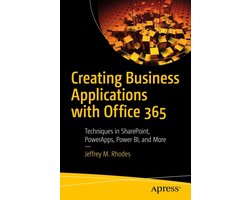
Professional and Applied Computing (R0) - Creating Business Applications with Office 365
dans 1 boutique
À voir aussi
Code-barres: 9781484253311

Toutes les offres
- bol.comProfessional and Applied Computing (R0) - Creating Business Applications with Office 365Voir la boutique33,99 €En stock
Nous pouvons percevoir une commission si vous achetez via ce lien. Le prix que vous payez ne change pas.
À propos de ce produit
Take your Office 365 and SharePoint projects to a higher level by using PowerApps, Flow, Power BI, JavaScript/jQuery jQuery UI widgets, Cascading Style Sheets (CSS), and more. This book will help you create easier solutions to client-side problems and applications. Additionally, you will be able to effectively visualize your data with Power BI. This book starts with configuration of SharePoint and Office 365 followed by your first example of PowerApps. You will lay the foundation for a help ticket application and see how to update a SharePoint list with PowerApps. You then will work with the jQuery open source library and learn how to use the developer tools within your browser. This allows you to customize data displays in SharePoint. Next, you will add jQuery UI widgets such as buttons and dialogs to SharePoint, learning how to configure and manipulate them via JavaScript. You will use these new skills to convert a normal SharePoint announcement into a visually compelling page of network alerts. You also will use JavaScript and styles to hugely improve native SharePoint calendars by color-coding them by category or location. To prevent overlapping events in calendars, you will work with SharePoint's web services and JavaScript. You will use similar concepts to make appealing accordion SharePoint pages. You then will explore Microsoft Forms, Flow, and Power BI, including building surveys in both Forms and SharePoint and using Power BI to show results over the last week, month, quarter, and year. Using advanced Power BI you will see how to deal with JSON, XML, and Yes/No data. Next, you will look at how to display Office documents as well as interact with them via JavaScript. Switching back to PowerApps, you will build the final help ticketing system before using…
Description fournie par bol.com.