 GiftCoves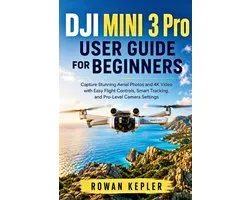
DJI Mini 3 Pro User Guide for Beginners
dans 1 boutique
À voir aussi
Code-barres: 9798194246298

Toutes les offres
- bol.comDJI Mini 3 Pro User Guide for BeginnersVoir la boutique14,00 €En stock
Nous pouvons percevoir une commission si vous achetez via ce lien. Le prix que vous payez ne change pas.
À propos de ce produit
Take the Mini 3 Pro out of the box and get it into the air without spending hours buried in menus.This guide is built for people who want to fly, shoot, and actually know what they're doing with the controls. It walks through the setup process from the first power-up to camera settings, intelligent flight modes, subject tracking, file transfers, and routine maintenance.Inside, you'll learn how to: - Set up the aircraft, controller, battery, gimbal, and propellers - Connect everything and complete the essential pre-flight checks - Configure return-to-home, altitude, distance, and obstacle avoidance settings - Get comfortable with the sticks, gimbal wheel, zoom, takeoff, hover, and landing - Choose useful photo and video resolutions and frame rates - Adjust exposure, white balance, color profiles, and other shooting controls - Shoot 48MP photos, panoramas, bursts, timed shots, and vertical footage - Use QuickShots, MasterShots, Hyperlapse, Spotlight, and Point of Interest - Set up ActiveTrack and follow moving subjects - Work with Trace and Parallel tracking modes - Handle direction changes and J-turn behavior during tracking - Transfer photos and video to your phone - Review flight logs and manage your media - Update firmware, replace propellers, clean sensors, and store the aircraft properlyYou also get quick-reference pages, setup checklists, troubleshooting sections, and practical field-test scenarios throughout the book.The goal isn't to throw a pile of drone terminology at you. It's to get you from unpacking the aircraft to making smooth flights and better-looking footage with settings you understand.If you've got a Mini 3 Pro sitting in the case, stop putting off the first real flight. Set it up, take the controls, and start putting that camera to work.
Description fournie par bol.com.